Making music on GBA
Hugo -
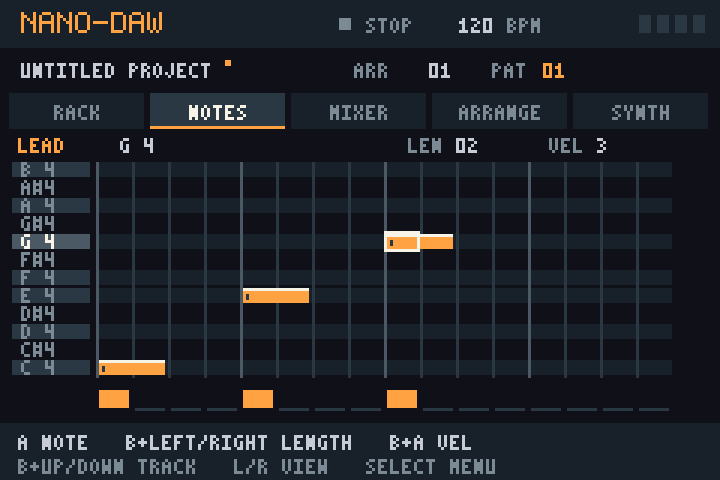
I spent my weekend making a tiny DAW running on Game Boy Advance. Small, but it works!
Play in your browser
Write your first melody
Six tracks: kick, clap, hats, bass, lead and chord. Each pattern has 16 steps. The default tempo is 120 BPM, but you can change it.
Start plays/stops. Use L / R (shoulder buttons) to switch views. Select opens the menu.
- From RACK, press R to open NOTES.
- Move with the D-pad and press A to place notes.
- Press Start to play your melody.
 Notes, patterns & arrangement
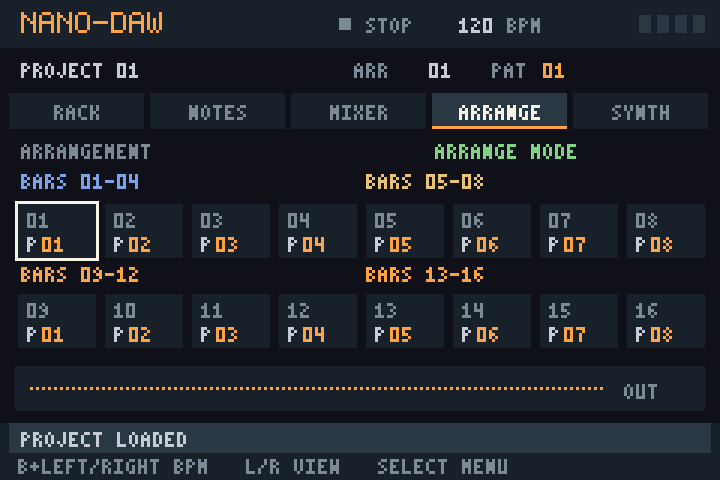
A pattern contains 16 steps across all six tracks. ARRANGE sets the order your patterns play in.
- RACK
- Up/Down selects a track. A adds/removes a note. B + Up mutes the selected track; B + Down opens its note editor.
- NOTES
- Move with the D-pad. Press A to place a note, or press again to erase it. Hold B while pressing:
- Left/Right: note length (1–16 steps).
- A: note volume (four levels).
- Up/Down: change track.
- Patterns
- B + L / R changes the pattern you edit. Use Select → Copy Pattern / Paste Pattern to duplicate all six tracks. Clear Pattern empties the current pattern.
- ARRANGE
- Left/Right: choose a song position (1–16). Up/Down: choose a pattern. A: switch between looping one pattern and playing the whole song. B + Left/Right on the D-pad: tempo (70–180 BPM). Start begins from the selected position; the arrangement repeats after position 16.
Select → Follow Playback makes the editor follow the playing pattern. Adding a note or selecting another pattern turns following off.
One note per track per step; lead and bass play one note at a time. The chord track turns each note into a three-note chord (easier than building chords by hand).
Mixer & synth sounds
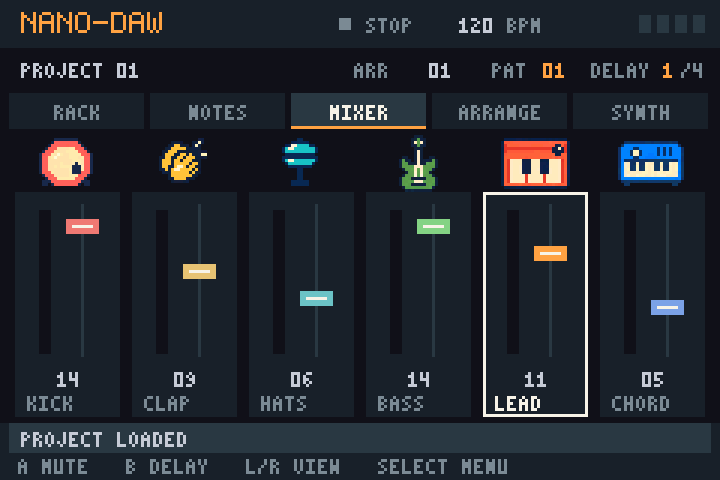
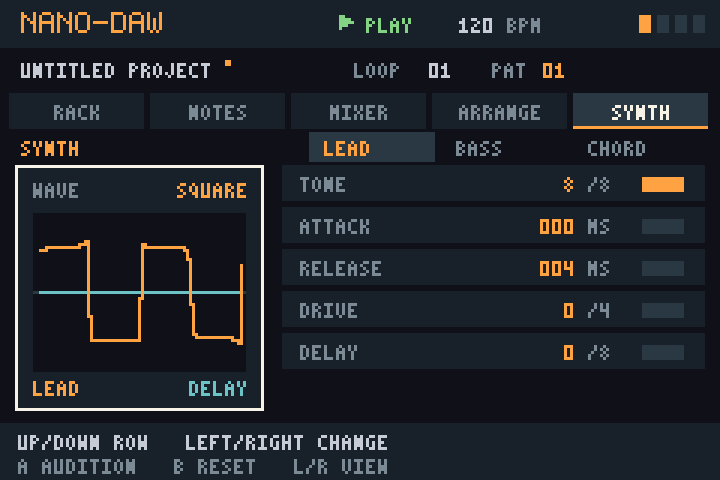
- MIXER
- Left/Right: track. Up/Down: level. A: mute/unmute. B: cycle the master delay amount, including off.
- SYNTH
- Up/Down: row. Left/Right: value. The top row selects lead, bass or chord. A: audition. B: reset the selected parameter.
Wave: sound shape. Tone: brightness. Attack / Release: fade-in / tail. Drive: distortion. Delay: echo send (also needs master delay). For chords, Quality chooses auto/major/minor; Voicing changes the inversion.
Saving & managing projects
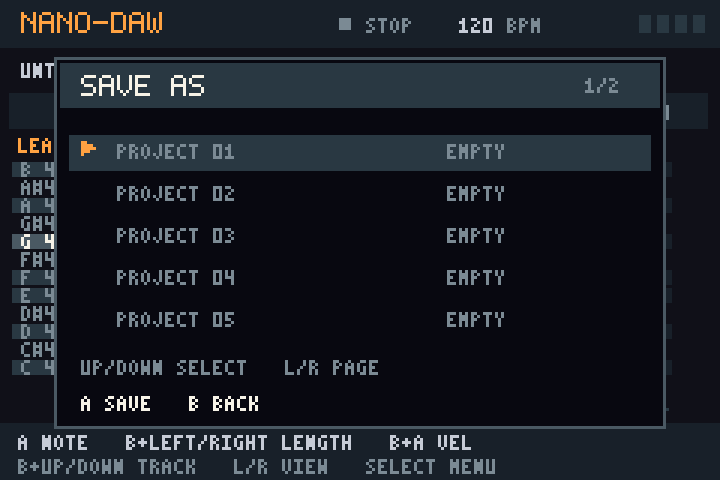
Press Select, choose with Up/Down, confirm with A; B goes back.
- Save Project updates the active slot; a new project's first save opens the slot picker.
- Save Project As… saves into another slot. Load Project restores a saved project.
- In the picker: Up/Down selects; L / R changes page; A saves/loads. Confirm overwriting a save or discarding unsaved changes with A; cancel with B.
- New Empty Project clears notes, mutes and arrangement, keeping tempo and sound settings. Your saved slots remain.
Save before quitting or starting another project. Otherwise, your next hit is gone lol.
Conclusion
The GBA is surprisingly capable of processing audio! It took a few optimization passes, but it can now play a song
with all six tracks at 59 fps without issues.
Right now, there is only one built-in instrument per track,
and I think it's totally possible to push it further with some EQs and multiple instruments per track before reaching
the hardware limitations of the GBA (using an AGS-101 here).