

Animate your pixel art with AI
Turn any sprite into a true pixel art animation. Create idle loops, runs, jumps, attacks, etc. with a single prompt.

Animate your pixel art in seconds
Starting sprite

AI animation

Starting sprite
AI animation

Starting sprite
AI animation

Starting sprite
AI animation

Bring your animations into your game









Create game-ready pixel art animations
Real game made with Sprite Fusion
From still sprite to animation
Animate pixel art from a still sprite with a simple motion prompt.
01
Bring your sprite
Import pixel art you already have, or generate a new sprite.
Your starting sprite
02
Describe the motion
Choose Animate and say what your character should do, like “Running animation”.
Animate your sprite
03
Preview and export
Watch your character move, then export the animation files for your game.
Your animation frames
Already have artwork? See how to import and animate your own sprite.
Animate sprites with your AI coding agent

Claude

Codex

ChatGPT

Cursor

OpenCode
Animate pixel art with Codex or Claude Code
AI agents and LLMs can use the Sprite Fusion API to create and animate your pixel art.
Use with Codex and Claude
Your Godot project
You
ninja.png
Use Sprite Fusion to create a running animation for this ninja, then add it to the player in my Godot project.
Codex
Done! Your ninja’s run animation is ready in Godot.
Export to Unity, Godot, or any game engine
Download the PNG sprite sheet, WebP preview, and JSON frame data for Unity, Godot, or your engine.
Ninja run animation frames
Control how your sprites move
Choose your frame count
Get fine-grain control on animation speed and number of frames.
Straight punch animation
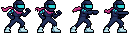

Animate all 8 directions
Create eight views of your sprite, then animate each one.
8-direction idle animation
Original








Pricing
Flexible plans for indies and pro



Starter

$9/mo

450 credits /mo
-
Best for prototyping
Creator
Most popular

$19/mo
-
1,050 credits /mo
-
2.3x Starter capacity
-
Best for small games
Pro

$49/mo
-
3,000 credits /mo
-
6.7x Starter capacity
-
Best for large games projects
Frequently Asked Questions
Check the docs or ask on our Discord server!
How do I animate pixel art with AI?
Open the editor, import or select a still sprite, choose Animate, and describe the motion. Choose a frame count, generate the animation, then preview and export it. For a walk, run, or attack, prepare a suitable starting pose first.
Can I animate my own pixel art?
Yes. Use Import → Import image to bring in a sprite you drew in another editor or obtained from an asset pack. Select it and use Animate just as you would with a generated sprite. Follow the guide to animating your own pixel art.
Can I make a looping walk or run animation?
Yes. Start with a sprite posed for walking or running, describe the movement, and ask for a seamless loop. If the stride or transition feels wrong, adjust the starting pose and generate again. The animation tips explain how to prepare the source image.
How many frames can I generate?
Choose an even frame count from 2 to 16. Eight frames is a good starting point. Use fewer frames for a short, punchy action or more frames when the movement needs extra poses.
What files do I get when I export an animation?
Animation export downloads a ZIP containing a PNG sprite sheet, an animated WebP preview, and JSON metadata with frame dimensions, frame count, and FPS. It also includes the source image when available. See the animation export guide.
Can I use the animated sprites in Unity or Godot?
Yes. Import the PNG sprite sheet into your engine, slice it using the exported frame dimensions, and set the playback speed from the FPS metadata. You can also use the native Unity and Godot integrations.
Can I animate pixel art with Codex or Claude Code?
Yes. Copy the API instructions above into your AI coding agent and provide a Sprite Fusion API key. Then ask it to animate your sprite, download the sprite sheet, and add the animation to your game, such as a running animation for your Godot character.
Can I animate sprites through the API?
Yes. The Sprite Fusion API accepts a source sprite and a motion prompt with the animate operation, and returns an animation preview, sprite sheet, and frame information. See the animation API documentation.