 Sprite Fusion
Pixel Snapper Overview
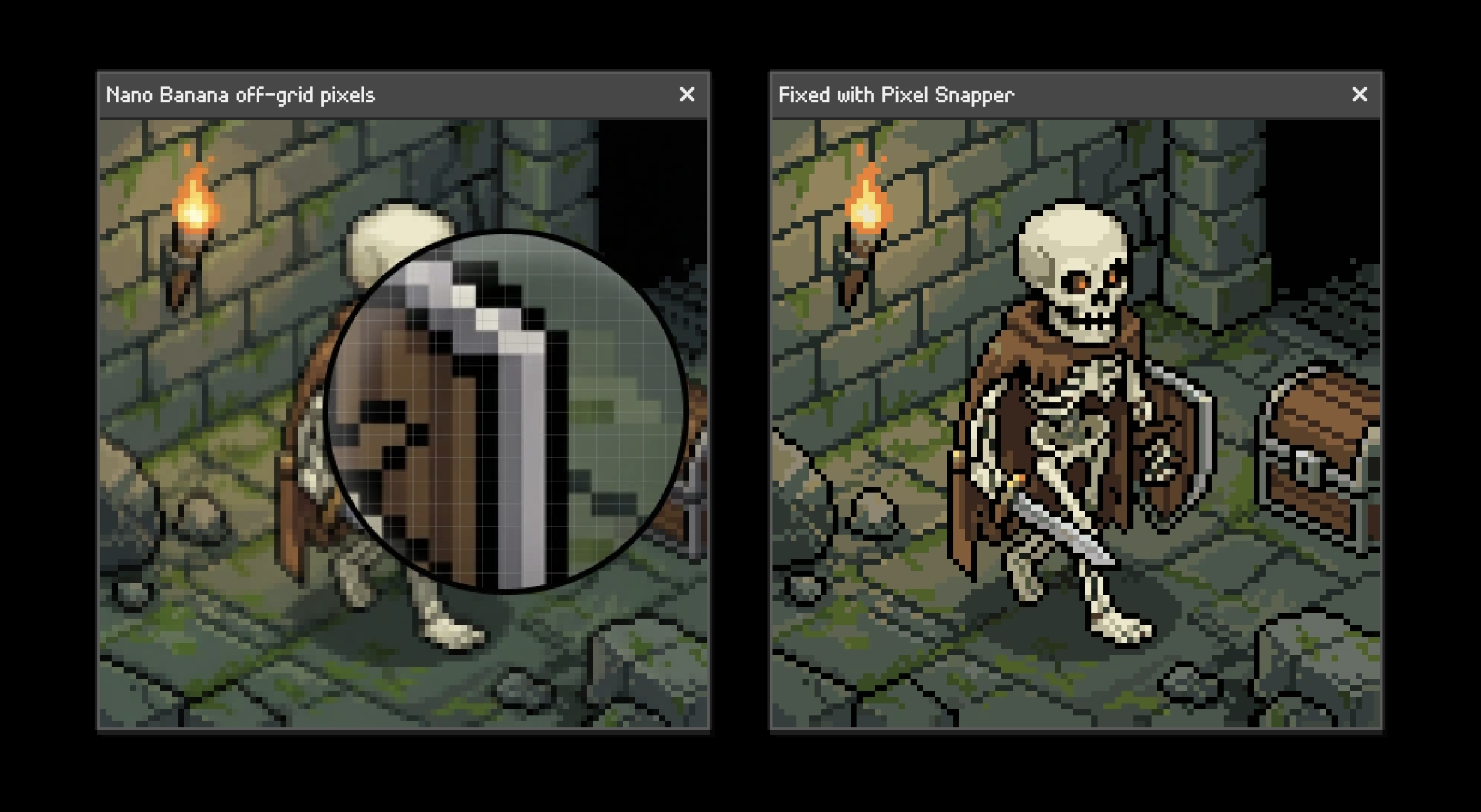
Fix messy, blurry, or off-grid pixel art by snapping it back onto a clean pixel grid.
TL;DR
- Pixel Snapper fixes mixels and off-grid pixels
- It can recolor the result with a custom pixel art palette
- It is free and open source under MIT License
How To Use It
- Upload an image, or drag it onto the page
- Choose the
Colorsamount - Download the result image (PNG)
Colors
The Colors slider controls the output palette size.
It goes from 8 to 64 colors.
Use fewer colors when the source image has noisy pixels or too many near-duplicate shades.
Use more colors when the source image has important details, gradients, dithering, or subtle color ramps.
Custom Palettes
Use a custom palette when the result must match an existing game, sprite, or tileset color palette.
Browser
Click Import palette PNG next to the Colors setting, then choose a PNG containing your palette. Pixel Snapper reads between 1 and 256 distinct visible colors from the image.
Browse popular pixel art color palettes to download a palette PNG, or import your own.
CLI
Pixel Snapper's open-source GitHub repository includes a CLI. For example, use --palette to process an image with your colors:
cargo run input.png output.png --palette "1a1c2c,5d275d,b13e53,ef7d57,ffcd75"WebAssembly
Pixel Snapper's open-source GitHub repository also supports WebAssembly. For example, pass your colors as the fourth argument to process_image:
const result = process_image(inputBytes, null, null, "1a1c2c,5d275d,b13e53,ef7d57,ffcd75");Use Pixel Snapper for
- Game sprites
- Tilesets
- Tilemaps
- Isometric maps
- 2D game textures
- Assets that need clean pixel-perfect scaling
Good to Know
Pixel Snapper works best when the source image is already close to pixel art.
Availability
- Browser version: spritefusion.com/pixel-snapper
- Desktop version: Pixel Snapper Desktop Edition
- Source code: github.com/Hugo-Dz/spritefusion-pixel-snapper
- Web integration: available as a WASM module
- Local usage: available as a CLI from the open-source project
Get the Desktop Version
- Ultra-fast batch processing
- Works 100% offline
- One-time purchase, yours forever
- Lifetime updates included
- Open Source code

