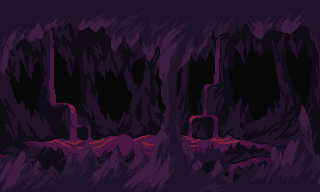
Bubbles Pixel Art VFX

Underwater: bubbles wobbling and growing as they rise from vents, merging and popping at a shimmering surface, specks drifting, caustic light dancing on the floor. A loop filling any area.
Use it with your AI agent
Download this effect's ZIP, or to give your agent (Claude, Codex, Cursor...) the full library of pixel art effects. Then have it put vents on your seabed, set where the water's surface is, or tint the water for caves and swamps.
Claude/Codex
You
Use bubbles.ts from Sprite Fusion's pixel art VFX to add bubbles rising from vents in my underwater level.
Claude
I used bubbles.ts as a reference to implement bubbles in your game.
In your code
import bubbles from "./bubbles";

const frame = { w: 320, h: 180, ox: 0, oy: 0, color: new Uint32Array(320 * 180), light: new Uint32Array(320 * 180) };
const fx = bubbles({ area: { x: 0, y: 0, w: 640, h: 360 } });

fx.update(1 / 60);
frame.color.fill(0);
frame.light.fill(0);
fx.draw(frame, "back");
fx.draw(frame, "front");
if (fx.done()) remove(fx);