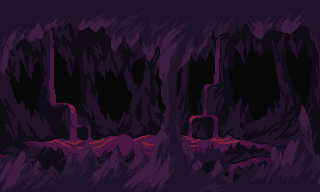
Fog Pixel Art VFX

Ground fog in dithered tones: banks at different depths drifting, the nearest passing in front of characters, their wispy tops breathing. A loop filling any area.
Use it with your AI agent
Download this effect's ZIP, or to give your agent (Claude, Codex, Cursor...) the full library of pixel art effects. Then have it thicken the fog, recolour it for swamps or smoke, or layer it in front of and behind your characters.
Claude/Codex
You
Use fog.ts from Sprite Fusion's pixel art VFX to add a low fog drifting over the ground in my night levels.
Claude
I used fog.ts as a reference to implement fog in your game.
In your code
import fog from "./fog";

const frame = { w: 320, h: 180, ox: 0, oy: 0, color: new Uint32Array(320 * 180), light: new Uint32Array(320 * 180) };
const fx = fog({ area: { x: 0, y: 0, w: 640, h: 360 } });

fx.update(1 / 60);
frame.color.fill(0);
frame.light.fill(0);
fx.draw(frame, "back");
fx.draw(frame, "front");
if (fx.done()) remove(fx);