 Sprite Fusion
Tilemap EditorExporting Maps
JSON
Export a Sprite Fusion map as map.json plus a generated spritesheet.
What You'll Get
A Sprite Fusion JSON map.zip package with:
map.jsonspritesheet.png
Features
- Sprite Fusion raw map data
- Layers and ordering

collisionlayer flags- Per-tile attributes
- Per-tile instance attributes
- Tile size, map width, and map height
Example
{
  "tileSize": 16,
  "mapWidth": 24,
  "mapHeight": 9,
  "layers": [
    {
      "name": "Pickups",
      "tiles": [
        {
          "id": "0",
          "x": 12,
          "y": 5
        },
        {
          "id": "1",
          "x": 20,
          "y": 1
        }
      ],
      "collider": false
    },
    {
      "name": "Blocks",
      "tiles": [
        {
          "id": "2",
          "x": 2,
          "y": 5
        },
        {
          "id": "3",
          "x": 4,
          "y": 5
        }
      ],
      "collider": true
    }
  ]
}
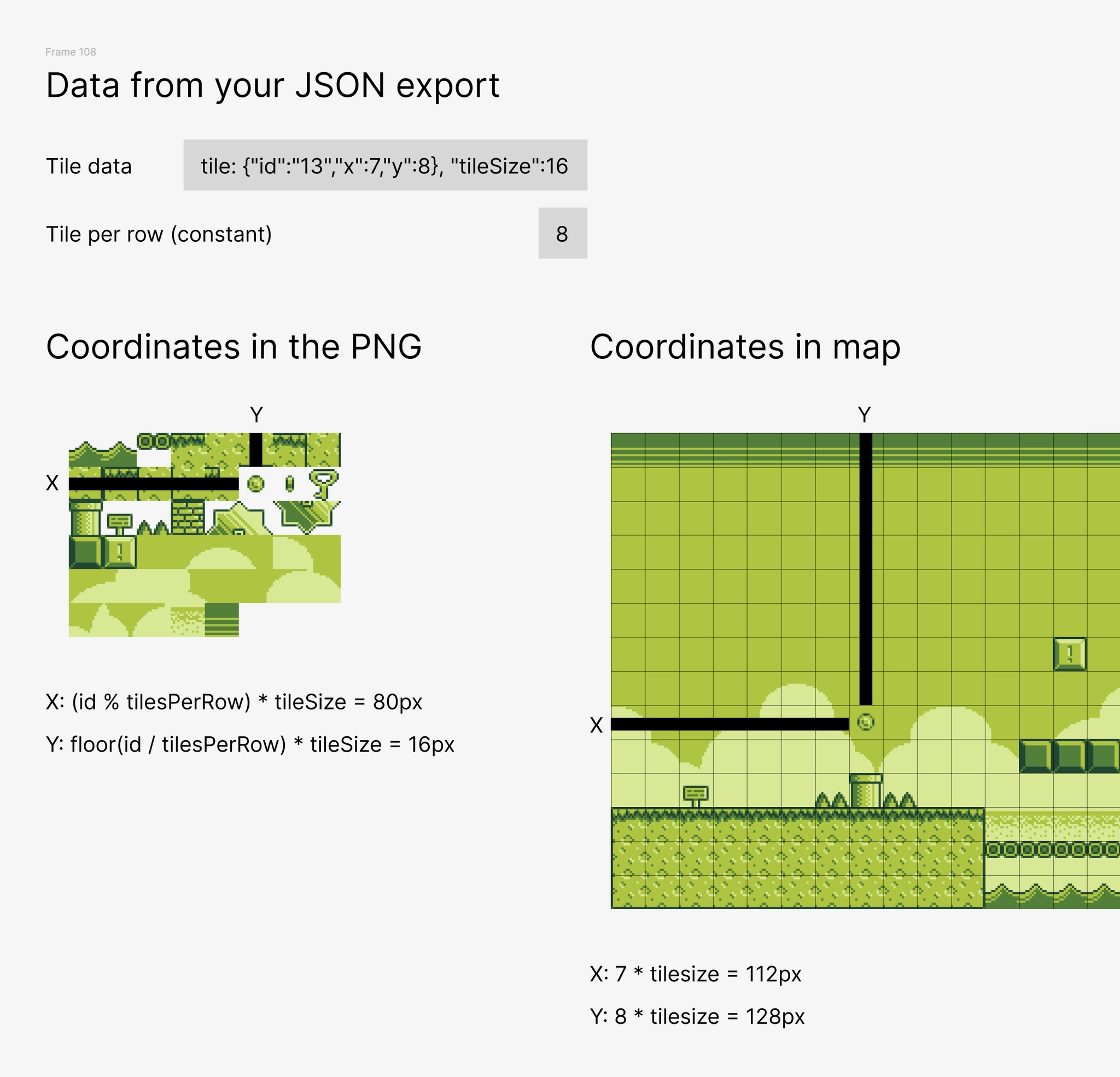
Each tile id is the tile index in the exported tileset, starting at 0, from left to right.
mapWidth and mapHeight are in tile units.
x and y are tile coordinates, also in tile units, with 0, 0 at the top-left.
Get the Desktop Version
- Works 100% offline
- Faster map exports
- One-time purchase
- Lifetime updates included

