 Sprite Fusion
Palette Snapper Overview
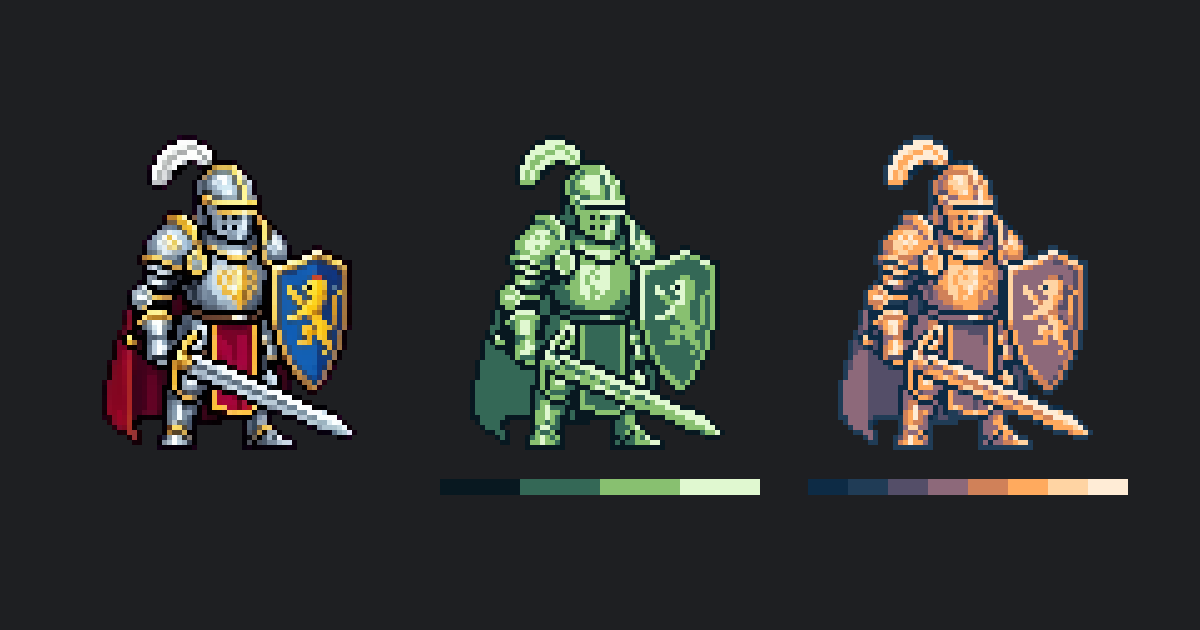
Apply your game's palette to your sprites from your AI agent, for free.
TL;DR
- Your AI agent can apply your game's palette to your sprites, for free
- Connect Sprite Fusion to Claude Code or Codex in a minute, without an API key
- Every pixel takes one of the palette's colors, and transparency is kept
- Also free and open source: a web app, a CLI, and a WebAssembly module
With your AI agent
Make sure your AI agent is connected.
Ask your agent to recolor your sprites:
Apply my game's palette, palette.hex, to every sprite in assets/sprites.Recolor the player sprite with the PICO-8 palette.Use my saved Dungeon palette on these enemies.
Your agent uses the free snap_to_palette tool:
- The palette can be your colors, a palette saved in Sprite Fusion, or a built-in preset like PICO-8
- Sprites can be up to 1024×1024 pixels
- Nothing is saved to your Sprite Fusion library: your agent saves the result in your project
- Scripts and CI can call
POST /palette-snapsinstead
Your agent can also generate new sprites in your palette with the Pixel Art Generator.
In your browser
To recolor a few sprites by hand, or to reduce their colors without a palette, open Palette Snapper:
- Upload one or more images, or drag them onto the page
- Pick a palette, or set the
Colorsamount (2to64,32by default) - Download the result image (PNG)
Import palette file takes a Lospec .hex, GIMP .gpl, Paint.NET .txt, or JSON palette, or an image of the palette's swatches. Browse popular pixel art color palettes to download one.
Images are never uploaded. With the default settings, PNGs come out about 70% smaller.
Open source
Palette Snapper's GitHub repository is under MIT License. It includes a CLI:
spritefusion-palette-snapper sprite.png -o gameboy.png --palette gameboy.hex --mode lightnessAnd a WebAssembly module:
const result = snap_to_palette(inputBytes, "#081820,#346856,#88c070,#e0f8d0", JSON.stringify({ mode: "lightness" }));Without --palette, the CLI reduces the colors instead. In WebAssembly, reduce_colors does.
Your agent and the API use the hosted version.
